
User Guide: How to Find Any Tender on EGP
Finding Tender OpportunitiesClaris Zimbiti | Apr 07, 2026 | | | |
Introduction
So you have found a tender on the Tendertube portal but now you can’t find it on PRAZ eGP Portal? Many users see tenders on external platforms but struggle to locate them on the Electronic Government Procurement (EGP) platform.
This guide provides a step-by-step process to help you find any tender quickly and accurately.
Step 1: Gather the Right Information First
Before searching on EGP, make sure you have at least one of the following:
- Tender title (or keywords from the title)
- Procurement reference number (if available)
- Name of the procuring entity (agency)
- Category or type of service
Tip: The more information you have, the easier your search will be.
Step 2: Log Into the EGP Platform

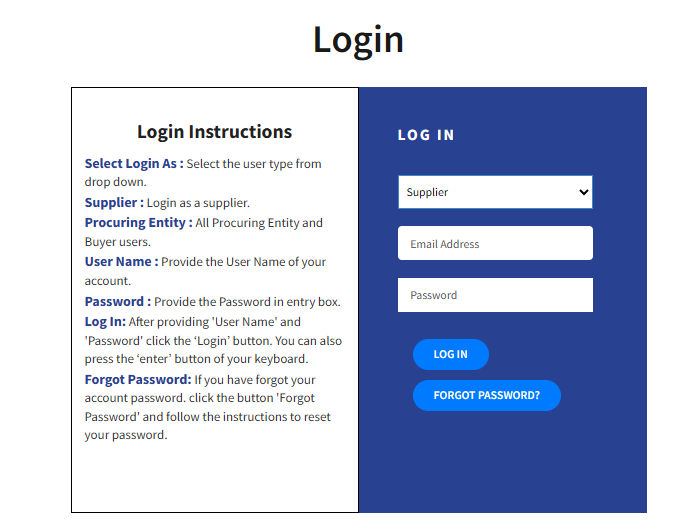
Some tenders are not visible unless you are logged in.
Make sure you:
- Log into your supplier account
- Ensure your profile is active
- Confirm your business categories are selected
Step 3: Start by a Narrow Search

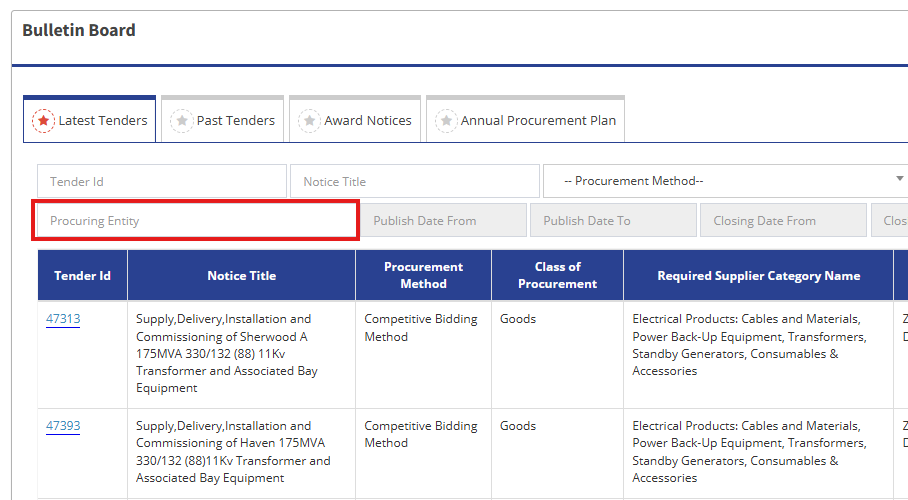
Search Using the Government Organization Name
If keyword search fails:
- Go to “Tenders by Organization”
- Select the government agency
- Browse active tenders
This method is often more reliable than keyword search.
Step 4: Use Reference Numbers (If Available)

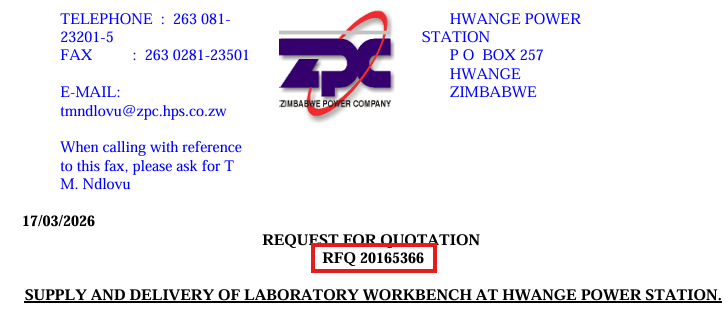
If you have a:
- Tender reference number
Enter it exactly as provided.
Important:
- Try variations (with/without dashes or spaces)
- Some procurement officers enter tender reference numbers differently
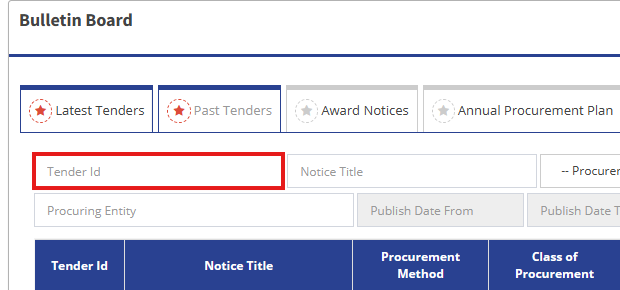
Note, you can also use provided 5-digit Tender ID numbers for specific identification, you enter the number in this textbox and search will lead you to the especific tender
Step 5: Move on to a Broad Search
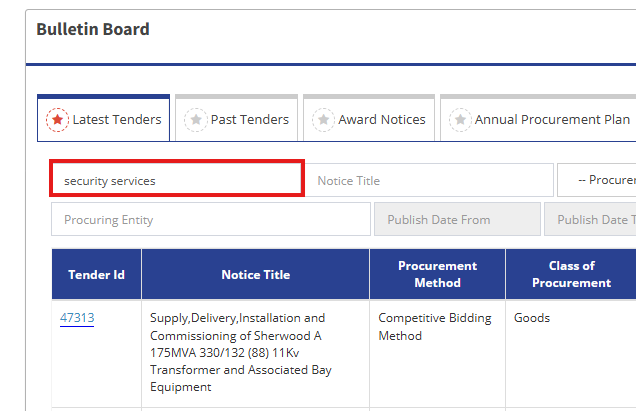
Avoid searching using the full tender title.
Instead:
- Use keywords only
- Try short phrases
- Use alternative wording
Example:
Instead of:
“Provision of Integrated Security Services for Public Health Facilities”
Search:
- “security services”
- “health security”
“facility security”

Step 6: Adjust Search Filters
Incorrect filters are one of the biggest reasons tenders don’t appear.
Do this:
- Remove unnecessary filters
- Expand date ranges
- Select “All Categories” if unsure
- Include all procurement methods
Avoid:
- Narrow category selection
- Restricting results too early
Step 7: Check Tender Status
Make sure the tender is still:
- Open
- Active
Sometimes tenders:
- Expire
- Get cancelled
- Are reissued under a new reference
Step 8: Contact the Procuring Entity (Last Resort)
If you still cannot find the tender:
- Contact the issuing agency
- Request clarification
- Confirm the reference number
Final Tip
Finding tenders on EGP is not just about searching — it’s about:
- Using the right keywords
- Understanding how the system works
- Applying flexible search strategies
Share This Post