
7 Tips for Submitting a Tender on the PRAZ e-GP
Apply Government TendersClaris Zimbiti | Nov 10, 2026 | | | |

Imagine spending days preparing a tender response, only to discover that the way you prepared your response isn’t appropriate. Or maybe your payment hasn't been approved, a document is missing or you forgot your encryption key password.
With the submission deadline approaching, even a small problem can become a major source of pressure.
This is why submitting a tender on the PRAZ e-GP portal requires more than knowing which buttons to click. You need to prepare in advance and leave enough time to resolve unexpected problems.
In this article, we share seven practical tips to help you manage the process carefully and avoid preventable submission mistakes.
Table of Contents
7 Tips for Submitting a Tender on the PRAZ e-
2. Identify upfront payments early
3. Allow Buffer Time for Unforeseen Circumstances
4. Upload Ready Compliance Documents Early
5. Stay Organised Throughout the Process
6. Track Your Submission Progress
7. Submission Doesn't End with a Button Click
1. Preparation Is Everything
A few months ago, I was working with a client and helping him submit a tender. Immediately after downloading the tender documents, I logged into the submission area. I then discovered two things we hadn't anticipated.
First, the portal required us to upload an NSSA certificate, even though this requirement wasn't mentioned in the tender documents. Second, we were expected to prepare a separate Bill of Quantities (BOQ).
Now imagine discovering these requirements a few hours before the deadline. You might not have enough time to prepare all those.
This is why I recommend accessing the submission area as early as possible, even if you are not yet ready to submit your bid.
From that incident, I learned that tender documents may not communicate every requirement. You might discover additional documents, specific pricing and document-format requirements. By checking early, you give yourself time to identify these requirements and make the necessary adjustments before the deadline approaches.
Don't wait until you have finished preparing your bid to inspect the submission area. Check what the portal requires first, then use that information to guide your preparation. It could save you unnecessary stress and help you avoid preventable submission mistakes.
2. Identify upfront payments early
Some tenders, particularly larger ones, may require payments such as bid security, SPOC fees or administrative fees. Where payment is a prerequisite for proceeding with the online submission, you need to plan for it well in advance.
For PRAZ e-GP payments, approval may take two to three days, depending on the payment and approval process. This means making a payment does not necessarily mean you can proceed with your submission immediately.
So the recommended practice is to identify any upfront payment requirements as soon as you read the tender document. Communicate them early to the person responsible for arranging payment, that is your finance department. Make sure your submission schedule allows enough time for both the payment and its approval.

3. Allow Buffer Time for Unforeseen Circumstances
One of the biggest mistakes you can make when submitting a tender on the PRAZ e-GP portal is waiting until the last minute.
My recommendation is to aim to complete your submission at least 24 hours before the closing deadline. This gives you a buffer to deal with unexpected problems without the added pressure of running out of time.
Several things can go wrong during online submission. You might experience internet connectivity problems, struggle to upload large documents, encounter encryption errors or discover that your payment is still awaiting approval. You could also experience technical problems with the portal itself.
The problem is that you have little control over how quickly these issues can be resolved. If you encounter them a few hours before the deadline, you may not have enough time to get assistance and complete your submission.
By starting early and aiming to submit at least a day in advance, you give yourself time to identify and resolve these problems while there is still room to act.
Remember, 24 hours is a recommended buffer, not a guarantee that every problem can be resolved within that period. For tenders involving upfront payments, complex documentation or other demanding requirements, start preparing even earlier.
Don't plan your submission around the deadline. Plan to finish before it.
4. Upload Ready Compliance Documents Early
If you already have valid compliance documents, such as your tax clearance and NSSA certificates, upload them early. There is no need to leave these uploads until the last minute when the documents are already available and ready to use.
Getting them out of the way early reduces the amount of work remaining while you and your team focus on completing the technical proposal, preparing the financial response and checking other tender-specific requirements.
The idea is simple: complete the tasks you can finish early so you can concentrate on the remaining requirements as the deadline approaches.
5. Stay Organised Throughout the Process
Good organisation always saves time and reduces avoidable mistakes.
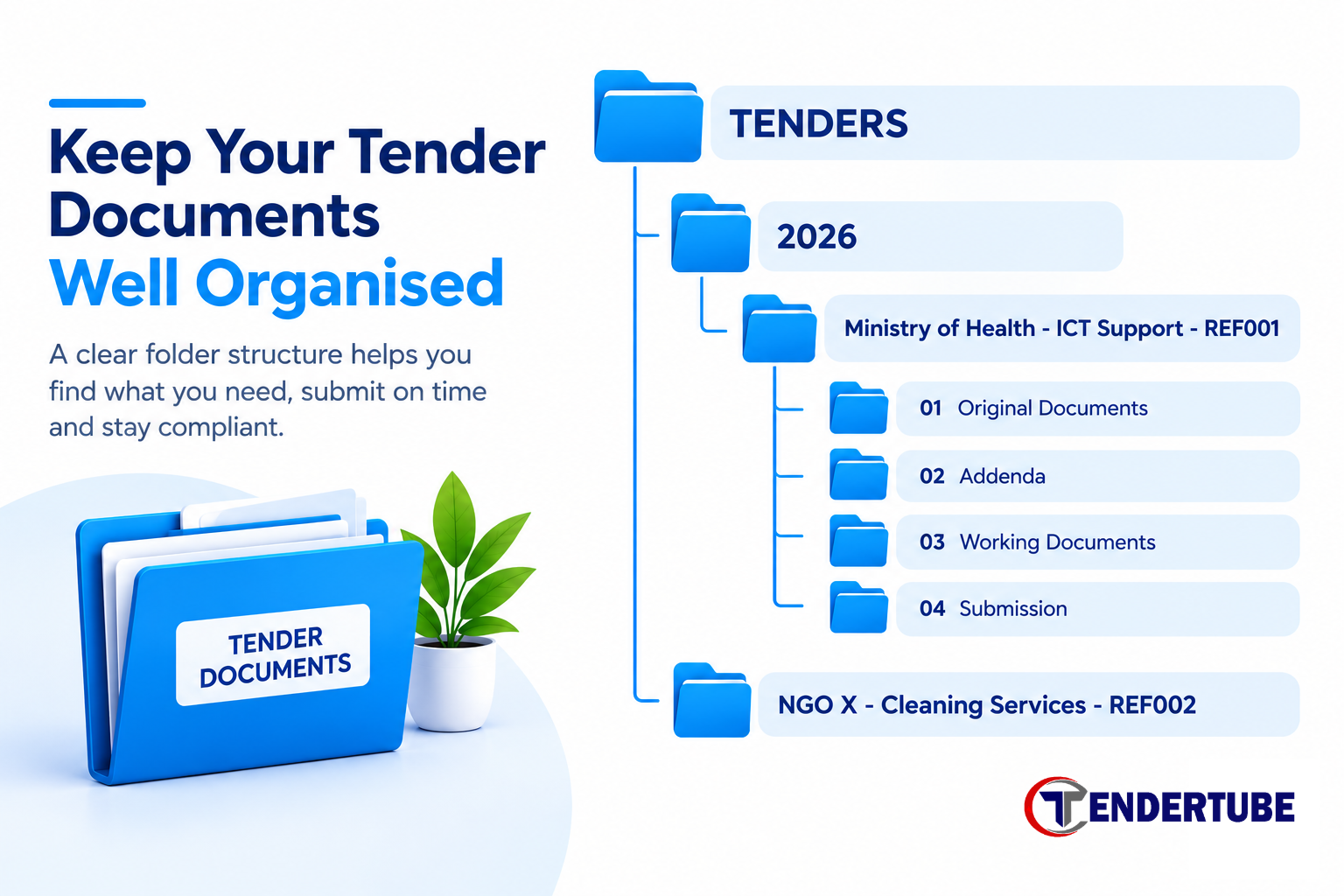
The recommended practice is to create a separate folder for each tender you intend to submit. Keep all the relevant files in that folder, including the original tender documents, supporting documents, payment records and submission confirmation.
When your files are properly arranged, you can focus on completing and reviewing your bid rather than searching through folders for the right document.
Give each file a clear, descriptive name so you can easily identify it when uploading documents to the PRAZ e-GP portal.
For example:
- Tax_Clearance.pdf
- NSSA_Certificate.pdf
- Technical_Proposal.pdf
- Financial_Proposal.pdf
- Bill_of_Quantities.pdf
Avoid vague file names such as Document1.pdf or confusing versions such as Final_Final_New.pdf. When you are working with several documents under deadline pressure, unclear file names increase the risk of uploading the wrong document or an outdated version.
6. Track Your Submission Progress
When preparing a tender, it is easy to lose track of what has been completed and what still needs attention, especially when dealing with multiple documents.
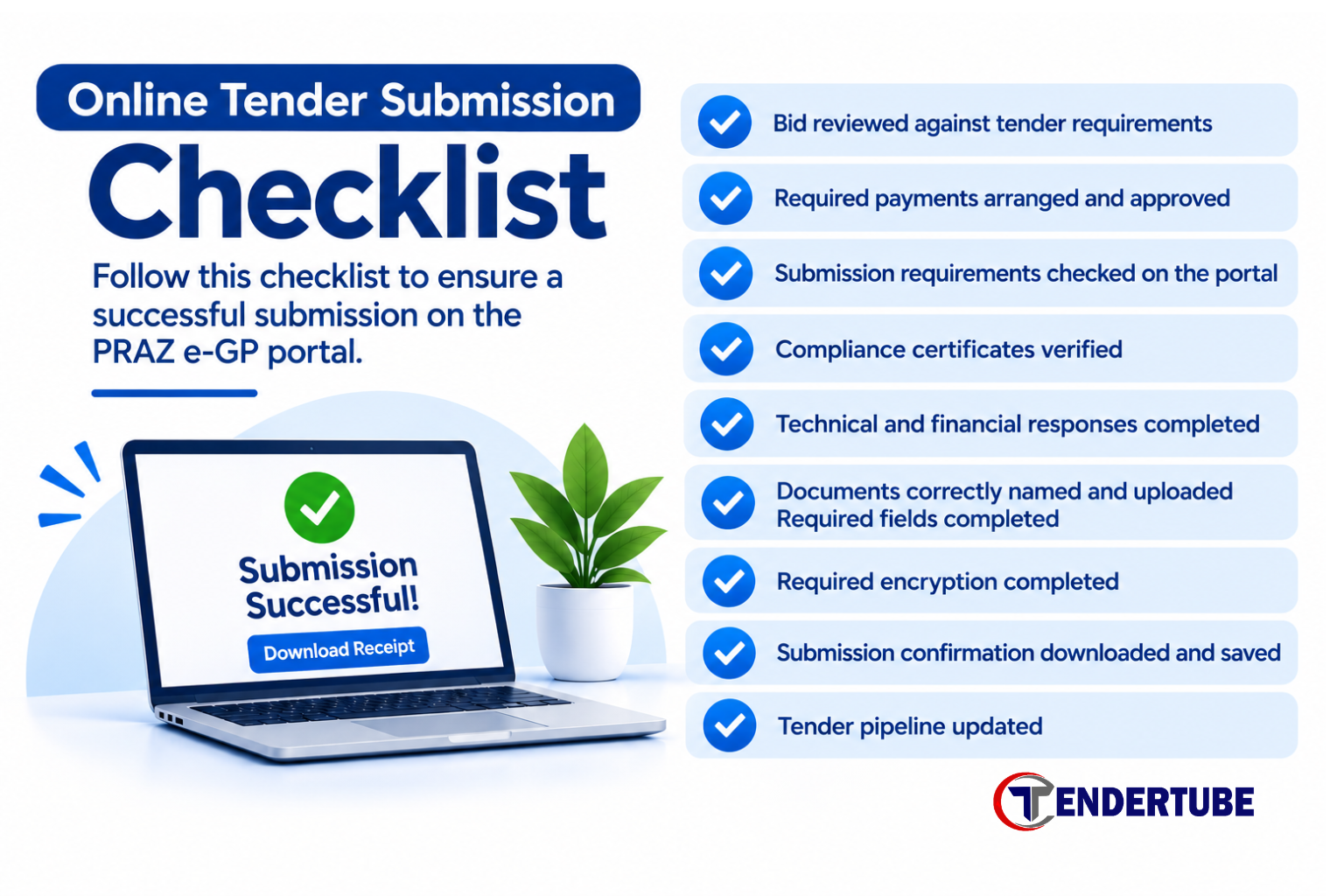
Create a checklist of all the requirements for each tender. Tick off each item as it is completed and uploaded.Clearly mark anything that is still outstanding. This helps you identify gaps early rather than discovering them just before the deadline.
The goal is to know exactly where you stand at every stage of the process. A simple checklist can help you stay in control, identify incomplete requirements and ensure that nothing important is overlooked.
7. Submission Doesn't End with a Button Click
Once you click the submit button, don't assume your work is done. You need to confirm that the portal has successfully received your bid and keep a record of the submission.
If the portal provides a submission receipt, download it and save it in the tender's designated folder using a clear filename. Once you have downloaded and saved the receipt, update your tender pipeline to reflect the submission. Change the tender's status from Preparing Bid to Submitted, record the submission date and note any relevant follow-up actions.
This is particularly important if your business is pursuing several tenders at the same time. Without an updated pipeline, it is easy to lose track of which bids have been submitted, which are still being prepared and which deadlines are approaching.
Remember, submitting a bid is an important milestone, but it is not the end of the tendering process. Keep your records organised and your pipeline updated so you can manage the next stage effectively.
Conclusion
Submitting a tender on the PRAZ e-GP portal requires more than preparing your documents and clicking the submit button. You need to plan ahead, understand the submission requirements, allow time for payments and stay organised throughout the process.
As we've seen, some of the biggest challenges can be avoided by taking simple precautions such as inspecting the submission area early, leaving a buffer before the deadline and tracking.
The most important key takeaway is don't wait until the deadline is approaching to start thinking about submission. The earlier you prepare, the more time you have to address unexpected issues without unnecessary pressure.
Make these practices part of your tendering routine, and you will be better prepared to manage your bids professionally and avoid preventable submission mistakes.
Frequently Asked Questions
1. Can I submit a tender online in Zimbabwe?
Yes. You can submit bids online through the government portal PRAZ EGP. To participate, you generally need to register as a supplier under a category, find a suitable tender, prepare your response, and submit your bid through the portal before the stated deadline. .
2. What does encrypting a bid mean?
Encrypting a bid means applying a security password that helps protect your sensitive tender information such as pricing from unauthorized access before the bid is opened. On the PRAZ e-GP portal, you are required to encrypt your pricing information, as part of the submission process.
3. How do I know if my tender has been submitted successfully?
There are two ways you can do that. The first way is to check the status of your bid. It changes status from draft to submitted. Also once you are able to download and save your submission confirmation or receipt then you will know that your bid has been submitted successfully. Keep it with your tender documents as evidence of submission.
4. Can I modify or withdraw a submitted tender?
Yes you can modify your bid as long as it’s before the tender’s closing date and time. If you need to make a change, access the relevant tender and follow the portal’s modification, encryption and resubmission process. Confirm that the revised bid has been submitted successfully. Withdrawal requires particular care. Once you withdraw your bid, it means you are out of the competition. The system will never allow you to resubmit again.
5. What happens if I miss the submission deadline?
If you miss the submission deadline, the portal may prevent you from submitting your bid. Late bids are generally not considered, so you risk losing the opportunity to participate in that tender. Check the deadline date and time stated in the tender notice, and remember that you must allow enough time for document uploads, payments, encryption and final submission.
Share This Post
Related Blogs

Blog Comments [ ]